Back to School Tech Prep: Ensuring Your Laptop is Ready for Class
As summer winds down, heading back to class means picking up textbooks, organizing schedules, and stocking up on supplies. But there’s one tool that plays a bigger role in your daily student life than almost anything else: your laptop.
Whether you’re typing up term papers, running complex software, streaming lectures, or studying with classmates, a slow, glitchy, or unreliable laptop can turn a busy semester into a frustrating experience.
Before syllabus week kicks into high gear, here is a complete checklist to ensure your device is fully prepared to handle the school year ahead.
1. Run a Deep System Clean & Software Update
Over a long summer of web browsing and video streaming, laptops often accumulate digital clutter that bogs down performance.
-
Install Operating System Updates: Make sure your Windows or macOS operating system is running the latest update. These updates patch critical security vulnerabilities and fix system bugs that slow down your computer.
-
Update Essential Apps: Update your browsers (Chrome, Safari, Edge), video call software (Zoom, Teams), and office suites (Microsoft 365, Google Workspace) so you aren’t caught in an forced update loop minutes before a online class starts.
-
Clear Storage Space: Delete old downloads, clear temporary browser files, and move large photo or video files to an external drive or cloud storage to keep your primary drive operating efficiently.
2. Secure Your Personal Files & Set Up Automatic Backups
There are few academic emergencies worse than having a final paper or semester project vanish right before a deadline due to hardware failure or accidental deletion.
-
Enable Cloud Sync: Utilize cloud platforms like Google Drive, OneDrive, or iCloud to automatically back up your documents folder in real time.
-
Use an External Hard Drive: Perform a full physical backup of your system once a month using Time Machine (Mac) or File History (Windows).
3. Assess Your Battery Life
If your laptop loses charge after only an hour away from an outlet, surviving back-to-back lectures or group study sessions in the library is going to be a struggle.
-
Check Battery Health: Most laptops have built-in diagnostics that allow you to check your battery’s total cycle count and health capacity.
-
Replace Aging Batteries: If your battery drains rapidly or only holds a fraction of its original charge, getting a professional battery replacement before classes start is far more convenient than hunting for an open wall outlet in every classroom.
4. Give Your Hardware a Physical Clean & Inspection
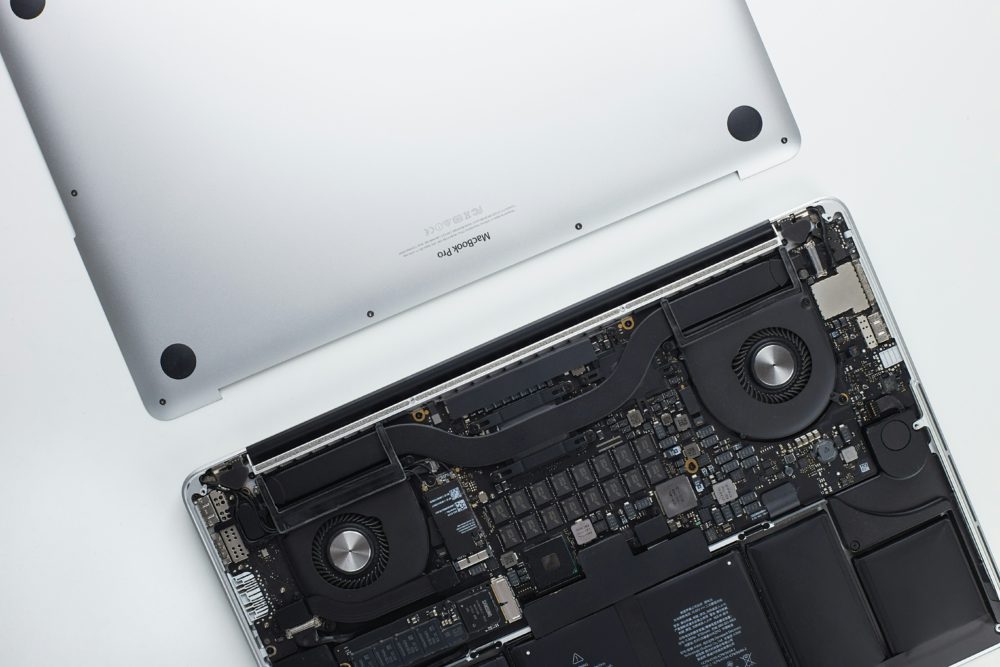
Laptops collect dust, crumbs, and keyboard oils over time. Dust buildup inside the cooling vents forces your laptop’s fans to work overtime, leading to overheating, thermal throttling, and battery drain.
-
Clean the Screen and Keys: Wipe down your display using a microfiber cloth lightly dampened with a screen-safe cleaner (never harsh household chemicals). Use compressed air to blow out dust from between the keys and port openings.
-
Inspect Ports and Cables: Check your charging cable for frayed wiring and ensure your USB-C, HDMI, and charging ports are free of lint and debris so connections stay solid.
5. Address Cracks, Slow performance, or Hardware Glitches Early
Small issues like a hairline screen crack, a sticking key, an overheating fan, or an old spinning hard drive (HDD) that takes minutes to boot up can escalate into major problems once the semester gets busy.
Upgrading an old hard drive to a modern Solid State Drive (SSD) or adding extra RAM can give an older laptop an immediate speed boost at a fraction of the cost of buying a brand-new computer.